OAuth Integration Guidance
Availability
OAuth authorization is currently not supported for Brazil and Argentina international accounts.
Application Process
1. Information Submission
Submit the following information to Bybit Business via this Email: broker_program@bybit.com:
- Bybit UID: Used to log in to the OAuth management backend.
- OpenAPI Whitelist IP: Only applicable to OpenAPI; the OAuth management backend has no IP restrictions.
2. Merchant Initialization
- Log in to Bybit using the corresponding UID.
- Access the OAuth Admin Portal:
Visit https://www.bybit.com/app/user/oauth-admin- Configure Application Name, Email, upload logo, etc.
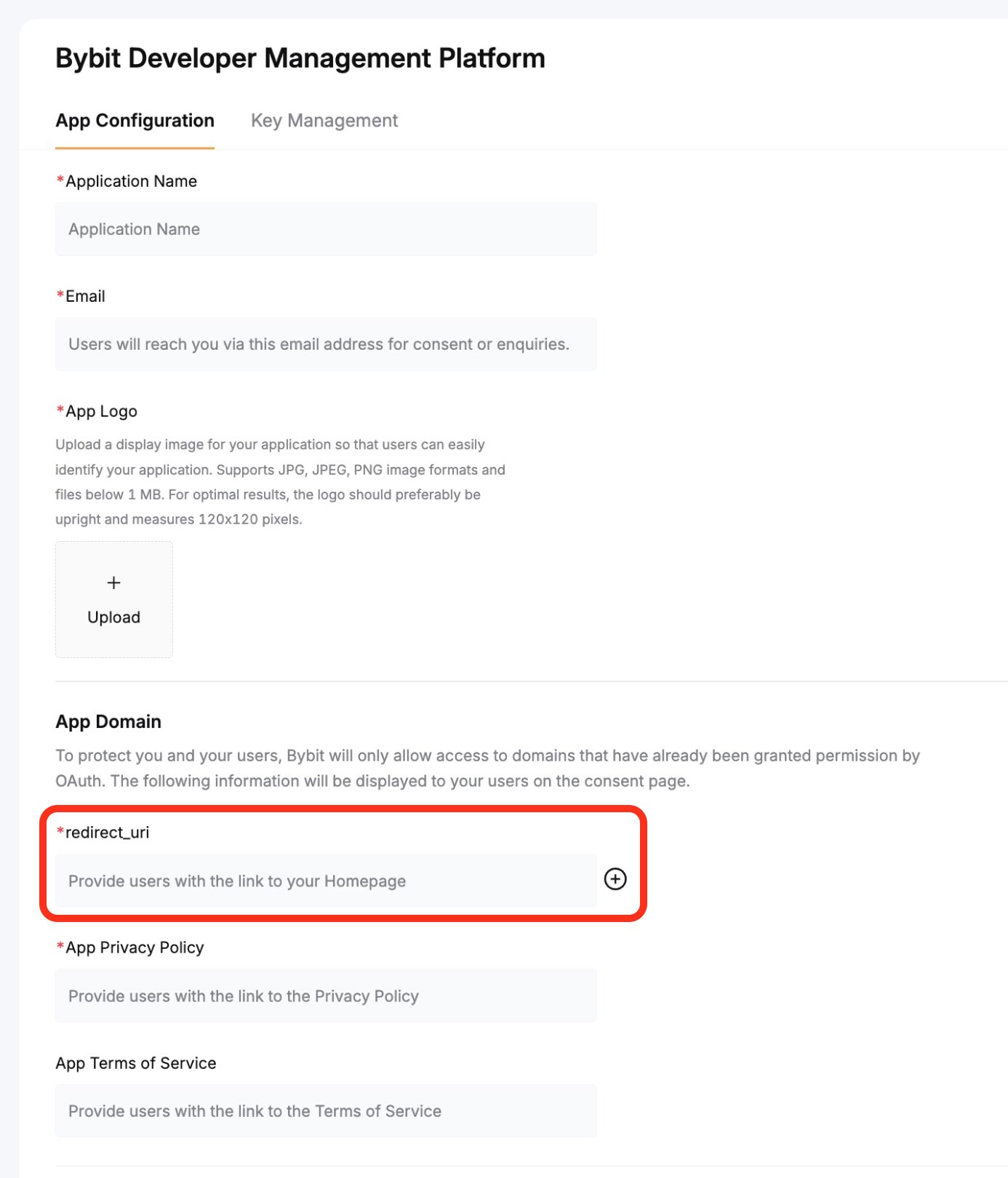
- Configure Application Name, Email, upload logo, etc.
- Core Parameter
redirect_uri:- Multiple callback addresses can be configured.
- The
redirect_uripassed when invoking the page must be configured in the management backend. - If the passed value does not match the configuration, it defaults to the first address.
- After Successful Application:
- You will receive
client_idandclient_secret. - Important: Securely store this information and do not share it with others.
- You will receive
API Integration
1. Construct Authorization Page
https://www.bybit.com/en/oauth?client_id={client_id}&response_type=code&redirect_uri={redirect_uri}&scope=openapi&state={state}
| Parameter | Description |
|---|---|
client_id | Obtained after merchant initialization. |
response_type | Fixed value: code. |
scope | Pass openapi; other values require confirmation with Bybit. |
state | Random string. |
redirect_uri | The address to redirect to after user authorization; must be configured in the management backend. |
2. Authorization Success Callback
After the user confirms authorization, the page redirects (301) to redirect_uri with the parameter code.
Example:
If redirect_uri = https://www.example.com/callback, the callback URL will be:
https://www.example.com/callback/?response_type=code&code=sSn87036PCFub1g0FGigexSjT&scope=openapi&state=1234abc
| Parameter | Description |
|---|---|
code | Core parameter; used by the merchant backend to obtain access_token. |
3. Obtain Access Token
- URL:
https://api2.bybit.com/oauth/v1/public/access_token - Method:
POST
Request Example
curl -v -X POST {url} \
  -H 'Content-Type: application/x-www-form-urlencoded' \
  -H 'user-agent: Mozilla/5.0 (Macintosh; Intel Mac OS X 10_15_7) AppleWebKit/537.36 (KHTML, like Gecko) Chrome/143.0.0.0 Safari/537.36' \
  -d 'client_id={client_id}' \
  -d 'client_secret={client_secret}' \
  -d 'code={code}'    # Note: Code can only be used once.
Response Example
{
    "access_token": "eyJhbGciOiJIUzI1NiIsInR5cCI6IkpXVCJ9.eyJleHAiOjE3NjcwODM5NDEsIkNsaWVudElEIjoiQThmMzNFeEVTeEhjIiwiR3JhbnRNZW1iZXJJRCI6MTA2MzEwNzQxLCJBcHByb3ZlZFNjb3BlIjpbIm9wZW5hcGkiXSwiTm9uY2UiOiJPNmZ0QkdTYVdEIn0.Vq46cxPIzKmWz5fFwU4fQuF-IDqFJDOIelNLnH8r2Oo",
    "refresh_token": "eyJhbGciOiJIUzI1NiIsInR5cCI6IkpXVCJ9.eyJleHAiOjE3Njk1ODk1NDEsIkNsaWVudElEIjoiQThmMzNFeEVTeEhjIiwiR3JhbnRNZW1iZXJJRCI6MTA2MzEwNzQxLCJBcHByb3ZlZFNjb3BlIjpbIm9wZW5hcGkiXSwiTm9uY2UiOiIwaVZMWVY3Z1pGIn0.ByGH8d5XtSQnkbxeyiXd56iJUTddBWjqFK8_EcAw48w",
    "token_type": "bearer",
    "expires_in": 86400,
    "refresh_token_expires_in": 2592000
}
4. Obtain OpenAPI
- URL:
https://api2.bybit.com/oauth/v1/resource/restrict/openapi - Method:
GET - Authorization: Include the
Authorizationheader formatted as"Bearer {access_token}".
Example: Ifaccess_token = "12345", thenAuthorization = "Bearer 12345".
Request Example
curl {url} \
  -H "Authorization: Bearer {access_token}"
Response Example
{
  "ret_code": 0,
  "ret_msg": "success",
  "result": {
    "api_key": "xxxxxxx",
    "api_secret": "xxxxx"
  }
}
Notes
- The
codeparameter from the authorization callback is single-use and expires quickly. - Store
client_secretandapi_secretsecurely and never expose them publicly.